---
updatedAt: 2026-07-10T19:01:19.000Z
---
Fetch the complete documentation index at: https://docs.lumalabs.ai/llms.txt. Use this file to discover all available pages before exploring further.
# Image Generation
### Looking for the latest Luma API?
Create and manage API access in the [Luma API Platform](https://platform.lumalabs.ai/). For current API guides and reference, visit the [Luma Agents API documentation](https://docs.agents.lumalabs.ai/).
# Authentication
1. Get a key from
2. Use the key as Bearer token to call any of the API endpoints
```
Authorization: Bearer
```
# API Reference
[Open](/reference/creategeneration)
# Downloading an image
```shell
curl -o image.jpg https://example.com/image.jpg
```
# Aspect Ratio and Model
For all your requests, you can specify the aspect ratio you want and also the model to be used.
## Aspect ratio
You can choose between the following aspect ratios:
* 1:1
* 3:4
* 4:3
* 9:16
* 16:9 (default)
* 9:21
* 21:9
To use it, simply include a new key under your payload:
```
{
"prompt": "A teddy bear in sunglasses playing electric guitar and dancing",
"aspect_ratio": "3:4"
}
```
## Model
You can choose from our two model versions:
* photon-1 (default)
* photon-flash-1
To use it, simply include a new key under your payload:
```
{
"prompt": "A teddy bear in sunglasses playing electric guitar and dancing",
"model": "photon-flash-1"
}
```
# Text to Image
```shell
curl --request POST \
--url https://api.lumalabs.ai/dream-machine/v1/generations/image \
--header 'accept: application/json' \
--header 'authorization: Bearer luma-xxxx' \
--header 'content-type: application/json' \
--data '
{
"prompt": "A teddy bear in sunglasses playing electric guitar and dancing"
}
'
```
## With aspect ratio and model
```shell
curl --request POST \
--url https://api.lumalabs.ai/dream-machine/v1/generations/image \
--header 'accept: application/json' \
--header 'authorization: Bearer luma-xxxx' \
--header 'content-type: application/json' \
--data '
{
"prompt": "A teddy bear in sunglasses playing electric guitar and dancing",
"aspect_ratio": "3:4",
"model": "photon-1"
}
'
```
# Image Reference
### Image URL
You should upload and use your own cdn image urls, currently this is the only way to pass an image
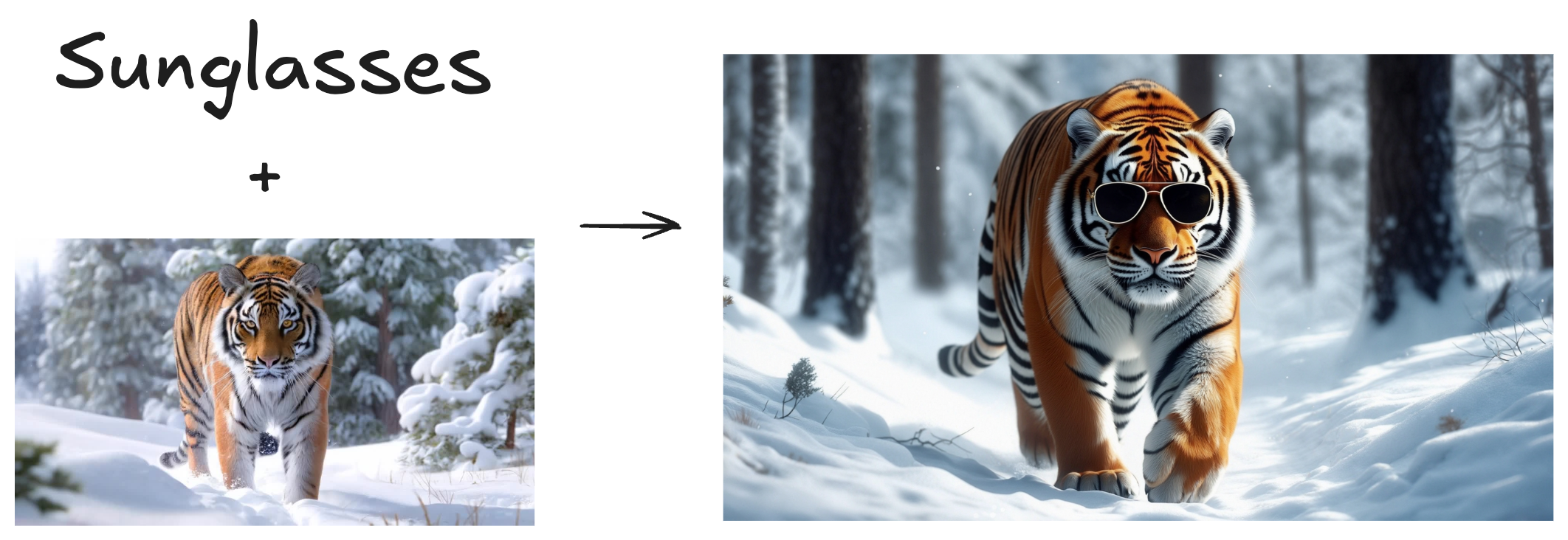
This feature allows you to guide your generation using a combination between images and prompt. You can use up to 4 images as references. This feature is very useful when you want to create variations of an image or when you have a concept that is hard to describe, but easy to visualize. You can use the `weight` key to tune the influence of the images.
```shell
curl --request POST \
--url https://api.lumalabs.ai/dream-machine/v1/generations/image \
--header 'accept: application/json' \
--header 'authorization: Bearer luma-xxxx' \
--header 'content-type: application/json' \
--data '
{
"prompt": "sunglasses",
"image_ref": [
{
"url": "https://storage.cdn-luma.com/dream_machine/7e4fe07f-1dfd-4921-bc97-4bcf5adea39a/video_0_thumb.jpg",
"weight": 0.85
}
]
}
'
```
# Style Reference
### Image URL
You should upload and use your own cdn image urls, currently this is the only way to pass an image
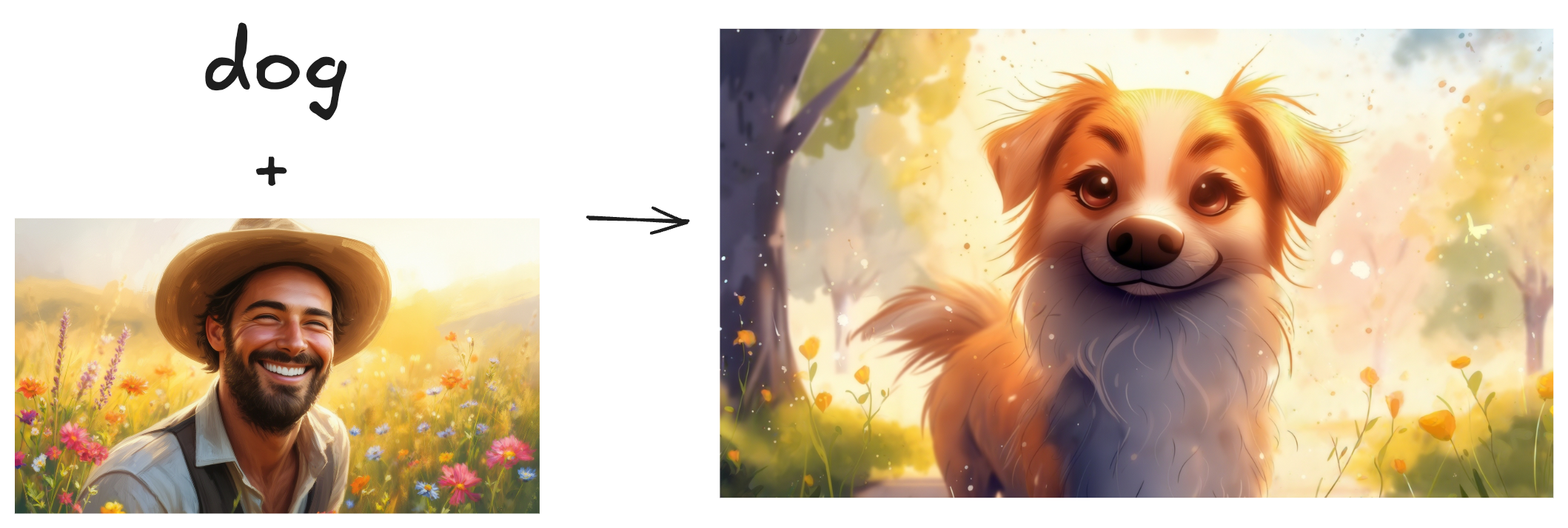
As the name suggests, this feature is used when you want to apply an specific style to your generation. You can use the `weight` key to tune the influence of the style image reference.
```shell
curl --request POST \
--url https://api.lumalabs.ai/dream-machine/v1/generations/image \
--header 'accept: application/json' \
--header 'authorization: Bearer luma-xxxx' \
--header 'content-type: application/json' \
--data '
{
"prompt": "dog",
"style_ref": [
{
"url": "https://staging.storage.cdn-luma.com/dream_machine/400460d3-cc24-47ae-a015-d4d1c6296aba/38cc78d7-95aa-4e6e-b1ac-4123ce24725e_image0c73fa8a463114bf89e30892a301c532e.jpg",
"weight": 0.8
}
]
}
'
```
# Character Reference
### Image URL
You should upload and use your own cdn image urls, currently this is the only way to pass an image
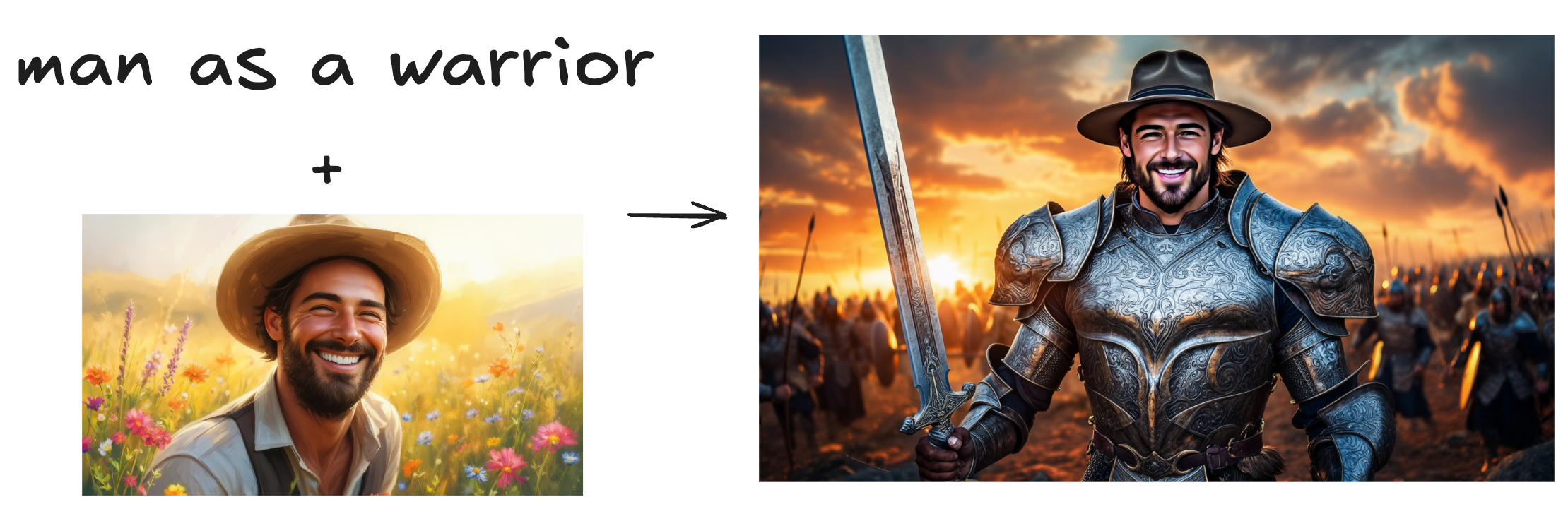
Character Reference is a feature that allows you to create consistent and personalized characters. Below, you can see how to use it. One thing important to say is that you can use up to 4 images of the same person to build one identity. More images, better the character representation will be.
```shell
curl --request POST \
--url https://api.lumalabs.ai/dream-machine/v1/generations/image \
--header 'accept: application/json' \
--header 'authorization: Bearer luma-xxxx' \
--header 'content-type: application/json' \
--data '
{
"prompt": "man as a warrior",
"character_ref": {
"identity0": {
"images": [
"https://staging.storage.cdn-luma.com/dream_machine/400460d3-cc24-47ae-a015-d4d1c6296aba/38cc78d7-95aa-4e6e-b1ac-4123ce24725e_image0c73fa8a463114bf89e30892a301c532e.jpg"
]
}
}
}
'
```
# Modify Image
### Image URL
You should upload and use your own cdn image urls, currently this is the only way to pass an image
> 🚧 Changing colors of images
>
> This feature works really well to change objects, shapes, etc. But when it comes to changing colors, it is harder to get it right. One recommendation is to use a lower `weight` value, something between 0.0 and 0.1.
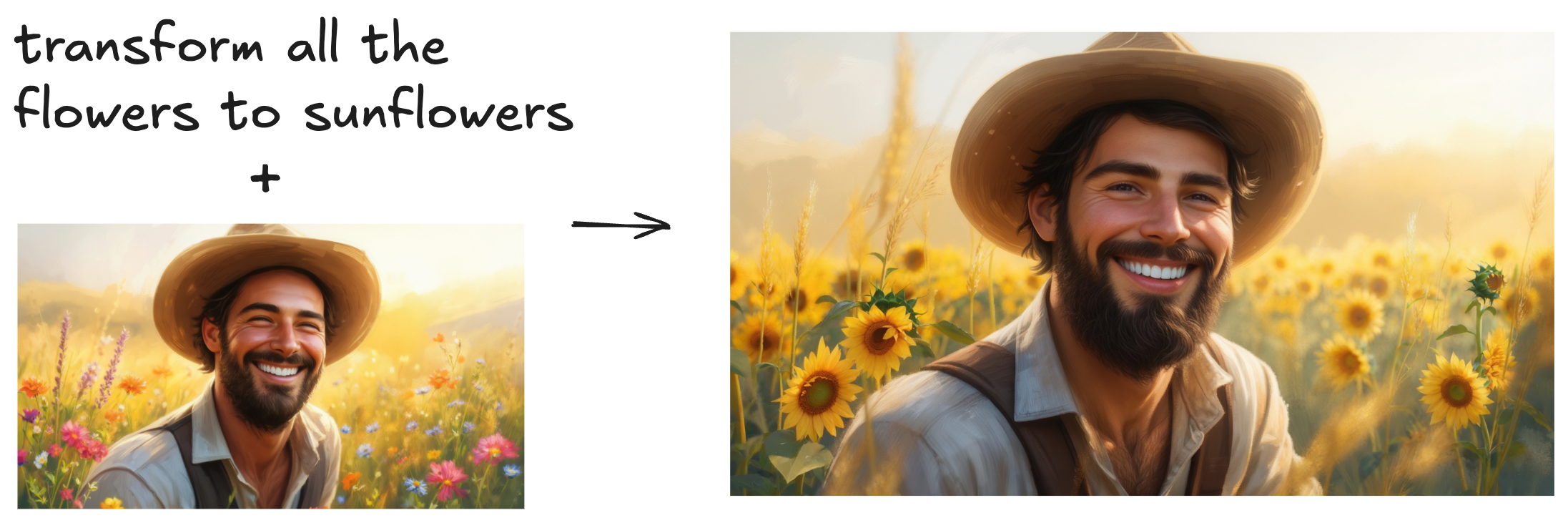
Modify feature allows you to refine your images by simply prompting what change you want to make. You can use the `weight` key to specify the influence of the input image. Higher the weight, closer to the input image but less diverse (and creative).
```shell
curl --request POST \
--url https://api.lumalabs.ai/dream-machine/v1/generations/image \
--header 'accept: application/json' \
--header 'authorization: Bearer luma-xxxx' \
--header 'content-type: application/json' \
--data '
{
"prompt": "transform all the flowers to sunflowers",
"modify_image_ref": {
"url": "https://staging.storage.cdn-luma.com/dream_machine/400460d3-cc24-47ae-a015-d4d1c6296aba/38cc78d7-95aa-4e6e-b1ac-4123ce24725e_image0c73fa8a463114bf89e30892a301c532e.jpg",
"weight": 1.0
}
}
'
```
# Generations
## Get generation with id
```shell
curl --request GET \
--url https://api.lumalabs.ai/dream-machine/v1/generations/123e4567-e89b-12d3-a456-426614174000 \
--header 'accept: application/json' \
--header 'authorization: Bearer luma-xxxx'
```
## List all generations
```shell
curl --request GET \
--url 'https://api.lumalabs.ai/dream-machine/v1/generations?limit=10&offset=10' \
--header 'accept: application/json' \
--header 'authorization: Bearer luma-xxxx'
```
## Delete generation
```shell
curl --request DELETE \
--url https://api.lumalabs.ai/dream-machine/v1/generations/123e4567-e89b-12d3-a456-426614174000 \
--header 'accept: application/json' \
--header 'authorization: Bearer luma-xxxx'
```
# Example Response
```shell
{
"id": "3ce343aa-5746-4ab3-b167-4e29f83d3f42",
"type": "image",
"state": "completed",
"failure_reason": null,
"created_at": "2024-12-02T15:34:40.388000Z",
"assets": {
"video": null,
"image": "https://image.jpg"
},
"model": "photon-v1.0",
"request": {
"type": "image",
"model": "photon-1",
"prompt": "man as a warrior",
"aspect_ratio": "16:9",
"callback_url": null,
"image_ref": null,
"style_ref": null,
"character_ref": {
"identity0": {
"images": [
"https://input_image.jpg"
]
}
},
"modify_image_ref": null
}
}
```
# How to get a callback when generation has an update
* It will get status updates (dreaming/completed/failed)
* It will also get the image url as part of it when completed
* It's a `POST` endpoint you can pass, and request body will have the generation [object](https://github.com/lumalabs/lumaai-api/blob/35768db34e52600e319cb799e4488249e61eef17/openapi.yaml#L258) in it
* It expected to be called multiple times for a status
* If the endpoint returns a status code other than 200, it will be retried max 3 times with 100ms delay and the request has a 5s timeout
example
```shell
curl --request POST \
--url https://api.lumalabs.ai/dream-machine/v1/generations/image \
--header 'accept: application/json' \
--header 'authorization: Bearer luma-xxxx' \
--header 'content-type: application/json' \
--data '
{
"prompt": "an old lady laughing underwater, wearing a scuba diving suit",
"callback_url": ""
}
'
```